 HeatPumpPath
Canadian Heat-Pump Home Archetypes: Reading Modeled Comparisons
Understand what Canadian heat-pump comparisons across representative home types can show, and why modeled loads, bills and emissions are not results for an individual house.
In this guideJump to a section
Modeled home comparisons are useful for seeing why location, building performance, fuel, and system configuration can change a heat-pump result. They are not a lookup table for your address. Natural Resources Canada’s cold-climate comparison describes four representative Canadian home archetypes, from pre-1980 construction to net-zero-energy-ready homes. The study used HOT2000 load calculations and modeled heating-system performance to compare energy use, utility bills, and greenhouse-gas emissions across locations and configurations.
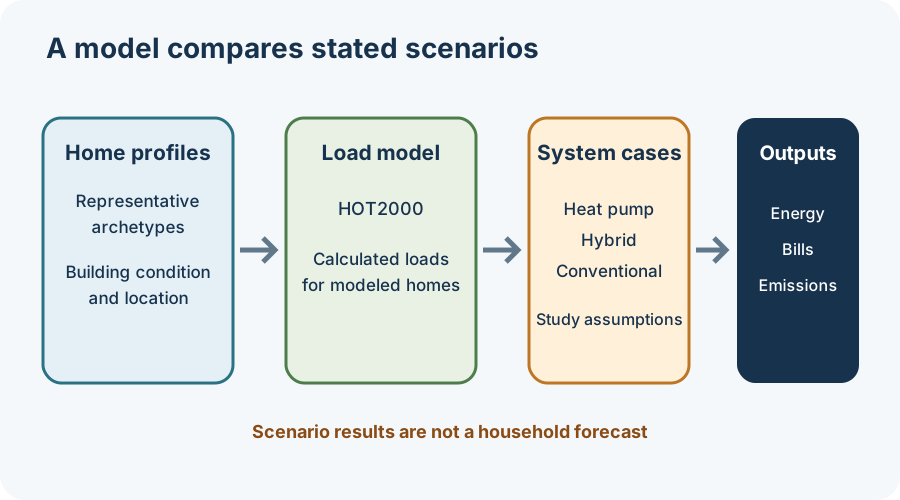
What the comparison can tell you
The study makes the home-performance difference visible: an older, less efficient archetype and a high-performance archetype do not present the same heat load. Results also vary with location, the assumed heating system, and whether a gas connection is retained. The model is therefore useful for framing questions such as “Which home type is closest to mine?” and “What changes between the all-electric and hybrid cases?”
It does not establish that your house matches any one archetype, that a modeled load equals your measured room-by-room heat loss, or that a modeled bill is your future bill. These are study scenarios, not a property assessment or an equipment selection for an individual home.
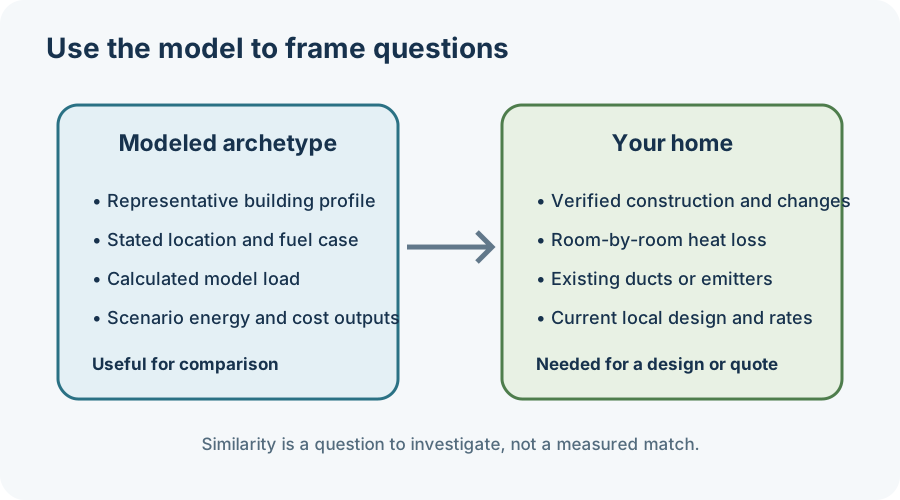
Match the inputs before comparing outcomes
Write down your municipality, building type and approximate age, floor area, insulation or major renovations, current heating fuel, and whether gas service remains. Note whether the home uses ducts, radiators, baseboards, or indoor air units. Separate facts you can confirm—such as equipment labels and utility bills—from estimates about hidden insulation, air leakage, or room loads.
That distinction matters when using a virtual home profile or online assessment. Natural Resources Canada’s virtual home-labelling guidance distinguishes remote or self-reported information from an on-site EnerGuide evaluation; inputs such as airtightness, insulation, or window dimensions may be uncertain when the homeowner has not measured them. A profile can help organize a conversation, but it is not itself a heat-loss calculation or an EnerGuide rating.
Product ratings need a similar boundary. A seasonal rating represents stated test or climate assumptions; it does not reveal the exact capacity of a matched system at your home’s design condition. NRCan cautions that Canadian HSPF rating regions may not represent every local climate equally. Ask for the current rating standard and exact model’s extended performance data rather than applying a broad regional label as a local result.
Turn a model into useful quote questions
Use the comparison to ask what differs between your home and the nearest archetype. Ask the designer for a room-by-room load calculation, the local outdoor design condition, the proposed equipment’s capacity at that condition, and the assumptions behind any hybrid or all-electric case. If a bill comparison is offered, request the energy prices, delivered-fuel assumptions, seasonal performance, backup operation, and included end uses.
Avoid copying a modeled dollar amount, emissions result, or equipment pathway into a household budget without checking those inputs. Current rates, weather, house condition, controls, and product performance can move the outcome. For an overview of online screens, see what heat-pump checkers and calculators can establish; for evaluation documents, see using an EnerGuide report to prepare for a quote.